Google Ads Audit
How to tell if your Google Ads agency is doing a good job
Four looks an owner can take from their own login, ending with the one that decides it: are the leads real, and are they worth what you pay?

By Kaan Catalkaya, Founder of AdCtrl
· · 15 min read
Short answer
- Judge results with your own numbers: real leads or sales each month, cost per real lead against what a lead is worth to you, and the same months last year.
- Check that you hold Admin access with your own login. Admin is the only Google Ads access level that can give account access, change access levels and cancel invitations.
- Change history keeps 2 years of changes and shows the person's email for edits made in the interface, but Google says some changes are not listed.
- Google bids toward your primary conversion actions, so check each one is a result your business would pay for, then compare Google's count with your real leads.
- Google's transparency rules say an agency must give you your customer ID when asked, report Google's cost separately from its own fees, and tell you about any management fee.
Read what changed in your Google Ads account in Claude or ChatGPT
Start free3-day free trial · no card needed
If the money goes out every month and the leads come in unevenly, you can still tell whether your Google Ads agency is doing a good job, from your own login. Take four looks: who controls the account, what changed, which searches cost money, and whether the leads Google counts are real and worth what you pay.
The last look decides it. We run a Google Ads agency, and we build AdCtrl, which lets you ask your own account about its changes, search terms and conversions in plain words in Claude or ChatGPT. So this is an agency telling you what we'd want our own clients to check. For a full review of the account, use the Google Ads audit checklist.
Checked 10 November 2026 against Google Ads Help and Google's third-party policies1.
Is my Google Ads agency doing a good job?
Your Google Ads agency is doing a good job when the leads and sales are real, are worth what they cost you, and the account shows work you can trace. You can check that with four looks from your own login. By our estimate they take about 20 minutes once you know where to click, and none of them changes anything in the account.
Google's own rules for agencies help: an agency has to give you your customer ID when you ask, report Google's cost separately from its own fees, and tell you about any management fee2.

The owner's check in order: make sure you can see everything, look at what was done, see where the money went, then compare Google's conversion count with your real leads and what each one costs.
The four looks, with the exact place to click in Google Ads:
Check who controls the account.
Manual: open the Admin menu, then Access and security, and read the Access level column next to your name.
Read what changed last month.
Manual: in the Campaigns menu, open Change history, set the date range to last month and read who is listed under User for each change.
See which searches cost money.
Manual: select Campaigns, then Insights and reports, then Search terms. Add the Keyword column and sort by cost.
Compare Google's results with your own.
Manual: open Goals, then Conversions, then Summary, and note which actions are set to Primary. Then put the Conversions and Cost columns for the last few months next to the leads and sales your business recorded.
Do you own the account and its history?
The business should own its Google Ads account, and in practice that means your own Google login with Admin access. Admin is the only access level that can give account access, change access levels and cancel invitations from other users3. Check it under Admin, then Access and security: the Access level column lists every user and their level4.
Many agencies work through a manager account, which is one Google Ads login that manages several client accounts. If the agency's manager account has ownership of yours, its admins can also edit user access, managers and product links in your account. That's normal for an agency, as long as your company holds Admin too, so ask the agency whether their manager account has ownership. Who owns your Google Ads account shows how to check that, and who pays, on Google and Meta.
If you aren't listed as Admin, ask for it in writing. Something like: "Please add my own work email as an Admin user on our Google Ads account, and send me our customer ID."
Then add a second admin from your own company, because Google warns that an account with only one administrator may lose access to its tags if that person becomes unavailable.
That's how we'd set up any new client: the business holds Admin, the agency gets the access it needs. The access part of the audit checklist goes further.
What does change history show about your agency's work?
Change history is Google's log of the changes made to your account, campaigns and ad groups over the past 2 years. Open it from Change history in the Campaigns menu, pick a date range, then filter by the type of change, such as budget adjustments or keyword edits, or by campaign. It also shows details like previous budget amounts.
Read the User column first. It shows the email of the person who made the change when it was made in the Google Ads interface. Changes made through the API, which is how outside tools connect, might show "Google Ads API" or the tool's name. Changes by Google's own automated systems can appear under names like "Google Ads system"1.
Some entries aren't your agency's hand at all. When "Automatically apply recommendations" is switched on, Google applies its recommendations regularly, and you can view the applied ones on the Change history page5. The audit checklist covers when that setting makes sense.

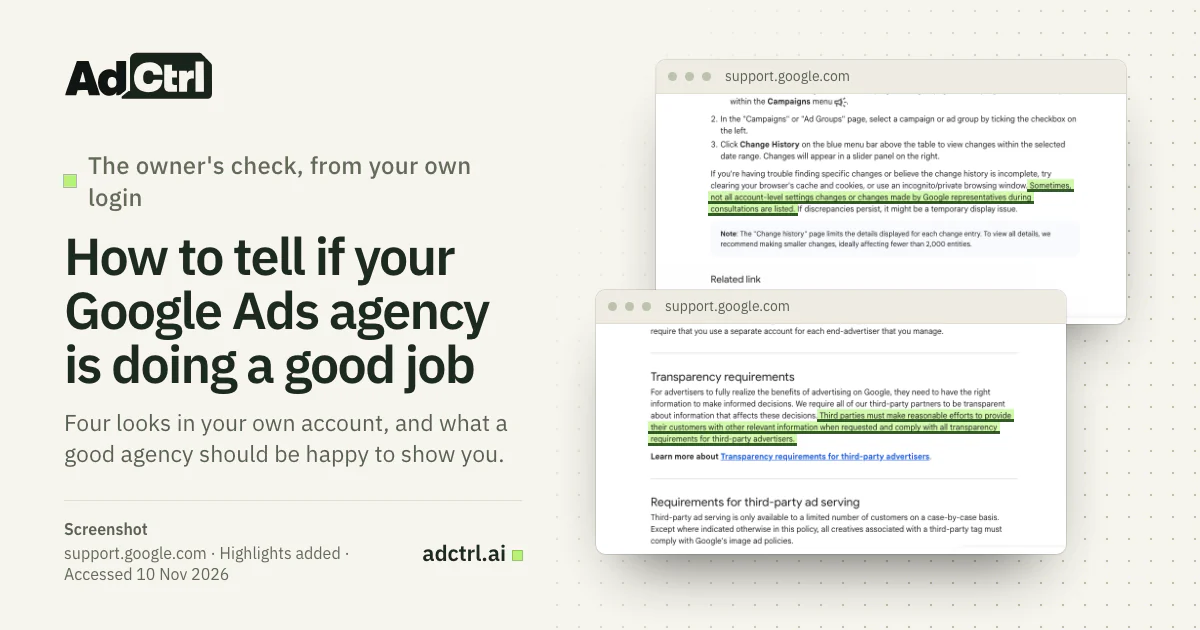
Screenshot of Google Ads Help, 10 November 2026. Google says that sometimes not all account-level settings changes, or changes made by Google representatives during consultations, are listed.
A common assumption
Change history shows every change, so it tells you everything the agency did.
What Google's page says
"Sometimes, not all account-level settings changes or changes made by Google representatives during consultations are listed."
With AdCtrl
If you'd rather ask than click through screens, AdCtrl answers in plain language inside Claude or ChatGPT, and you can ask about change history, search terms and conversions in one conversation.
For change history it reads the last 30 days: when each change happened, what kind of thing changed (a campaign, an ad group, a keyword, a budget), what kind of change it was, and where it was made, for example the web interface or the API.
The read doesn't show who made a change, any email address or the before and after values, and Google says not every change in the account gets an entry in its API change log6. For those, open Google's own change history, which shows more about who changed what.
Show what changed in my Google Ads account in the last 30 days, grouped by campaign or ad group, with the kind of change and where it was made.
Example data, not a real account, in AdCtrl's real card template: one row per change with the date, what kind of change and which settings changed. No names, emails or before and after values. The read also returns where each change was made, such as the web interface or the API; that column is not shown here.
Is the money going to searches you sell to?
The search terms report lists the actual searches that triggered your ads on the Search Network and how the ads performed on each7. Open it by selecting Campaigns, then Insights and reports, then Search terms.
Add the Keyword column first, because Google hides it by default. Select the column icon, then Attributes, tick Keyword and select Apply. The Keyword column tells you which of your keywords matched each search, so you can see which keyword let a bad one in.
Then sort by cost and read the top of the list yourself. You know your business better than anyone at the agency, so you're the right person to judge whether a search with "free", "jobs" or a competitor's product name in it is one you want to pay for.
Google leaves some low-volume searches out of the report for privacy, so the listed searches may not add up to all of your spend.
| What you see | What it can mean | What to ask the agency |
|---|---|---|
| Searches for things you don't sell near the top of the cost list | Keywords match too broadly, or exclusions are missing | Which of these did you exclude, and when? |
| The same bad searches month after month | Nobody is acting on the report | How often do you review search terms? |
| Mostly searches for your own brand name | Spend leans on people who already know you | How much goes to people who don't know us yet? |
| Searches for your services, with leads | The report is doing its job | Which of these should we get more of? |
How an owner can read the search terms report and turn each finding into a question for the agency.
Source: Google Ads Help on the search terms report7; the readings and questions are our suggestion.
Excluding bad searches is the agency's job. The negative keywords guide shows the weekly routine a good agency runs. To see the costly searches without the clicking, in AdCtrl, write: "Which search terms cost money in the last 30 days without a single conversion, and which keyword matched each one?"
Are the leads real, and are they worth what you pay?
If enquiries are coming in and revenue is still flat, use the Google Ads lead-to-sale audit to trace where they stop progressing.
The leads are real when the conversions Google counts match the enquiries and sales your business recorded, and they're worth it when each real one costs less than it brings in. The other three looks feed into this question, and only your own numbers can answer it. We'd ignore any industry "good cost per lead" figure here, because it says nothing about your margins. To run the same sum before you spend, see is Google Ads worth it.
Start with what Google counts. A conversion is an action Google Ads records as a result, such as a sent form, a call or a purchase. The actions marked primary are reported in the Conversions column and used for bidding when their goal is used for bidding; actions marked secondary are only there to observe, unless they're part of a custom goal8. Find them under Goals, then Conversions, then Summary.
For each primary action, ask would the business pay for this result? If a page view or a click on the contact page is marked primary, you're telling Google that this is the result you want, and bidding aims for more of it. Google itself calls setting actions as primary or secondary correctly "critical".
Then put Google's numbers next to your own, month by month:
| Your number | Where it comes from | Compare it with |
|---|---|---|
| Real leads or sales per month | Your CRM, inbox or till | The Conversions column for the same months |
| Cost per real lead or sale | Ad cost plus the agency fee, divided by real leads or sales | What a lead is worth to you |
| The trend | The same months last year | This year, so a season doesn't fool you |
| Budget actually spent | The Cost column per month | The budget you agreed with the agency |
The results check uses the owner's own numbers; Google's columns are only one side of each comparison.
Source: Google Ads Help on primary and secondary conversion actions8; the comparisons are our suggestion.
You work out what a lead is worth from your own numbers: roughly the profit from an average new customer, after the cost of doing the work, times the share of leads that become customers. If a real lead costs less than that, the ads are paying for themselves, whatever any benchmark says.
Take a worked example with made-up numbers. Say an average new customer leaves $2,000 in profit and 1 in 4 leads becomes a customer, so in this example a lead is worth up to $500. If you don't know the profit from an average customer, the LTV calculator works it out from order value, margin and repeat orders.
Last month cost $3,000 in ads plus a $1,000 agency fee and brought 10 real leads, so each real lead cost $400 and the ads paid. Google counted 25 conversions for those 10 leads, so something else is being counted too. Once you know how many of those leads became customers, the CAC calculator adds the fee to the ad cost and gives what each new customer cost.
- $500 example: what a lead is worth ($2,000 profit × 1 in 4)
- $400 example: cost per real lead ($4,000 ÷ 10 real leads)
- 25 vs 10 example: Google's conversions vs real leads
Example numbers, not a benchmark: use your own in their place.
If Google counts far more conversions than you received, something that isn't a lead is being counted. If the counts match but many leads are price shoppers, the account rewards every form the same, so bidding has no reason to prefer the good ones.
Telling Google which leads became customers is the usual fix, covered in the offline conversions guide. The conversion discrepancy guide explains why the two counts rarely match exactly.
What should a good agency be happy to show you?
An owner's questions about access, changes, searches and results are fair to put to any agency, and Google's own rules back them up. Google's policy for third parties, the agencies and partners that buy and manage ads for clients, includes the line "You should be honest and transparent about your company, services, associated costs, and expected results."9
Google's linked transparency requirements name a few specifics, and the rest is yours to ask for:
What Google requires the agency to give you
Where Google's terms require a monthly report, it must include costs, clicks and impressions, or the agency can let you sign in and see that data yourself. Google's cost must be reported exclusive of the agency's fees, a management fee must be disclosed, and the agency must give you your customer ID when requested2.
What to ask for anyway
A walk through last month's change history, what was done about costly searches, and Google's conversion count next to your real leads. Beyond its specific requirements, Google asks agencies for reasonable efforts when you request other relevant information.

Screenshot of Google's third-party policy, 10 November 2026. The transparency rule asks for reasonable efforts when the customer requests other relevant information, on top of the specific transparency requirements Google links from this page.
With the monthly costs, clicks and impressions in hand, you can check what the traffic costs yourself. The CPM calculator turns them into the cost per 1,000 impressions, the click-through rate and the cost per click. If the agency reports that a new ad beats the old one, the A/B test in the CTR calculator shows whether the click-through gap could be chance.
We'd welcome these questions from any client, because a client who looks at the account is easier to work with. Run through this list with yours:
- You have Admin access with your own login, plus a second admin from your company.
- The agency can walk you through last month's change history and say what each change was for.
- You know whether "Automatically apply recommendations" is on, and who decided that.
- You've seen the search terms report with the Keyword column turned on.
- The agency can say what it did about searches you don't sell to.
- Every primary conversion action is a result the business would pay for.
- The monthly report compares Google's conversions with the leads you received.
- You know what you pay Google and what you pay the agency, as separate amounts.
Red flags, or a normal quiet month?
A quiet month in change history is fine when the results hold up and the account is settling after a big change. After major changes, such as a new campaign or a new bid strategy, Google may show a temporary "Learning" status for up to 7 days while its automated bidding adjusts8. Google also suggests giving bidding time to adapt after a big change to what it optimises toward.
A busy month isn't proof of work either. Auto-applied recommendations add entries the agency may not have made, and auto-apply can only be switched on for the whole account5. To see what it changed and turn it off, read Google Ads auto-apply recommendations. Read the boxes below with the reasons behind the changes in mind, not the count. If the account isn't spending at all, start with why Google Ads isn't spending.
Keep going if
- Real leads or sales cost less than they're worth to you
- Changes are few, but the agency can explain each one
- Leads in your CRM rise and fall with the Conversions column
Talk to the agency if
- Google's conversions run well ahead of the leads you received
- The same bad searches come back month after month
- A primary conversion is a click or a page view
Make a change if
- You can't get Admin access to your own account
- Questions about changes, searches or costs stay unanswered after you asked in writing
- Real leads cost more than they're worth to you, month after month
Before you move on, get Admin access for your own login and a second admin, and note your customer ID, so the account and its history stay with the business. Then hand the next agency, or an independent auditor, the same four looks and the results table above.
Frequently asked questions
Can AI replace my Google Ads agency?
Not on its own, in our view; the Claude and ChatGPT guide covers what AI can and can't manage in a Google Ads account.
Can I see what a previous agency changed?
Yes, while you still have access to the account. Change history keeps the past 2 years, and the User column shows the email of whoever made each change in the interface1. Changes made through tools can show as "Google Ads API" or the tool's name, and Google says some changes may be missing.
How many changes a month should my agency make?
We don't trust any single number. Counts depend on the size of the account and on how the work was done: one bulk edit fills a page, one careful bid strategy change is a single line. Ask what changed and why instead.
What should a monthly report from my agency contain?
Where Google's terms require a monthly report, it must include costs, clicks and impressions, unless the agency lets you sign in to the account to see that data yourself. In our view a useful one adds conversions from the primary action next to the leads you received, the searches excluded or added, and the main changes with the reason for each.
Is an independent audit worth it?
It is when the four looks raise questions the agency can't answer. The Google Ads audit checklist lists every check an auditor would run, so you can judge what you'd be paying for.
What to do next
Open your own account this week and take the four looks, starting with your own leads and sales for the last few months. Write down what you can't explain and take it to your agency's next call.
For the full review, the Google Ads audit checklist has every check. To run the reads in Claude or ChatGPT, see how to connect AdCtrl and start the free trial.
Sources
- About change history, Google. Accessed 10 November 2026.
- Transparency requirements, Google. Accessed 10 November 2026.
- About access levels in your Google Ads account, Google. Accessed 10 November 2026.
- Manage access to your Google Ads account, Google. Accessed 10 November 2026.
- About applying recommendations automatically, Google. Accessed 10 November 2026.
- Change Event (Google Ads API guide), Google, 30 October 2026. Accessed 10 November 2026.
- About the search terms report, Google. Accessed 10 November 2026.
- About primary and secondary conversion actions, Google. Accessed 10 November 2026.
- About Google third-party policies, Google. Accessed 10 November 2026.
- Google Ads API v26 field reference: change_event, Google, 30 October 2026. Accessed 10 November 2026.